
Mobile browsing makes it easy to explore a casino game while moving between Wi-Fi and cellular data, but convenience should not replace careful checks. For anyone comparing sweet bonanza slot access on a phone, the important questions include whether the site works properly in a browser, how account payments are handled, and which details belong to the operator rather than the game. A few practical checks can make the experience clearer before any real-money session begins.
What should a mobile browser handle?
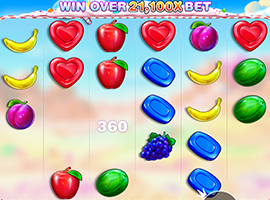
Sweet Bonanza is built with HTML5, so it is commonly presented through a casino’s mobile website on modern Android and iOS browsers. A separate game-specific application is not required. The interface is designed to scale to phone and tablet displays while retaining the six-by-five grid, Tumble feature, Scatter symbols and Free Spins mechanics found in the desktop version.
A suitable browser should load the game window without distorted symbols, missing buttons or repeated connection errors. Touch controls need to respond accurately, especially when selecting a stake, opening the information screen or reviewing game history. If the page keeps refreshing, the connection drops during a spin or the balance display appears delayed, it is sensible to pause rather than assume the issue will correct itself.
Mobile access can also vary according to the casino’s own website. Some operators provide a responsive browser version, while others may offer a native app for iOS or Android. An app, where available, belongs to the operator and should not be confused with an official standalone game account. The casino login, account balance and support channels generally remain the central parts of the mobile experience.
How do payment methods work on a phone?
The game itself does not accept deposits or process withdrawals. Payment methods in Canada are selected through the cashier of the casino hosting the game, which means the available choices can differ between operators and accounts. A player may see bank cards, Interac, e-wallets, bank transfers or cryptocurrency at different sites, but their appearance is not a feature or guarantee of the slot.
Before choosing a method on a small screen, check the cashier carefully rather than relying on a promotional banner. Look for the account currency, minimum deposit, withdrawal minimum, possible fees, processing details and whether the method can be used for both deposits and withdrawals. A method displayed for funding may not necessarily be available when requesting a payout.
Payment information should also be checked against the operator’s terms, especially where bonuses are involved. Promotional funds can introduce wagering conditions, expiry dates, maximum-bet rules or restrictions on withdrawals. These terms are separate from the built-in Free Spins feature. If a cashier does not explain an important condition clearly, contact the casino before transferring money.
Which checks matter before entering account details?
A phone can make a legitimate-looking page feel trustworthy simply because it loads smoothly. Before entering login or payment information, confirm that the address bar shows the expected casino domain and that the page uses a secure connection. Avoid opening cashier pages from unsolicited text messages, pop-ups or unfamiliar advertisements, particularly when they request urgent action.
Use a private password that is not reused on email, banking or social-media accounts. If the operator supports two-factor authentication, enabling it can add protection if a password is exposed. Keep the phone’s operating system, browser and security settings updated, and avoid making payments over unsecured public Wi-Fi when a trusted mobile connection is available.
For broader advice about protecting phones and online accounts, consult the Canadian Centre for Cyber Security. Its general security guidance is not confirmation of any casino’s reliability, payment options or availability. It is simply a useful reference for reducing common online risks while browsing, signing in or handling financial information.
When is a browser session unsuitable?
Mobile access is convenient, but it is not ideal in every situation. A weak signal can interrupt loading, and switching between applications may cause a session to reload. Small screens can also make it harder to read bonus terms, compare payment conditions or notice details in the casino’s footer and help pages.
Battery level is another practical consideration. A phone that powers off during account verification or a payment request may leave the user unsure whether an action was completed. Check the transaction record and casino balance rather than submitting the same request repeatedly. If the status remains unclear, use the operator’s support channel before trying again.
Some mobile browsers block pop-ups, disable certain cookies or apply privacy settings that affect account pages. These settings can prevent a cashier or game window from working as expected. It is better to understand the browser permission being requested than to disable every security feature automatically. If the site only works after unusual changes, consider using another trusted browser or postponing the session.
How can mobile play remain easier to control?
Begin by deciding how much time and money the session can reasonably involve. The game’s Autoplay option, where provided by the casino’s implementation, may include stop conditions related to wins, losses, balance changes or feature triggers. These settings can be useful reminders, but they do not replace personal decisions about when to stop.
Keep payment activity separate from game activity. Deposit only after checking the cashier terms, and avoid repeatedly adding funds because a mobile session has been interrupted or a result was disappointing. A transaction history, game history and personal note of session time can make activity easier to review than relying on memory.
Operator-level tools may include deposit limits, loss limits, session reminders, cooling-off periods and self-exclusion. Their availability depends on the casino and the rules applying to the player’s province. If you need one of these controls, look for it in the account or responsible-gambling area before playing, and ask support how it works if the option is not immediately visible.
Mobile browsing and payment questions
Do I need a separate app to use Sweet Bonanza on mobile?
No. The game is commonly delivered through an HTML5 casino website and can work in a modern Android or iOS browser. An operator may also offer its own app, but that app belongs to the casino. Any account, balance, verification and support functions remain managed by the operator.
Are Interac and other Canadian payment methods guaranteed?
No. Interac, cards, e-wallets, bank transfers and other options may appear at different casinos, but availability depends on the operator, account, currency and applicable conditions. Review the cashier and payment terms for the specific site. The game provider does not control deposits, withdrawals, fees or processing times.
What should I do if a mobile payment appears incomplete?
Do not immediately submit the same payment again. Check the cashier status, account balance and transaction history, then contact the casino’s support team if the result is unclear. Keep any confirmation number or bank reference available. The operator, rather than the game, must investigate delayed, declined or duplicated transactions.